X Header Size 2026: 1500 × 500, and How to Keep It From Getting Cropped
You made a new X header, uploaded it, and the important part got cut off. Your profile photo covers a corner. On a phone, the top and bottom are trimmed.
The header is the first big image people see when they open your profile, and it shapes whether they hit follow. This guide covers the right X header size and how to keep it from being cropped or covered, with real screenshots.
 Social Image ResizerFit a photo to your X header and profile picture. Free, no sign-up.Open the tool
X header and profile photo sizes (checked October 2026)
| Use | Recommended size (width × height) |
|---|---|
| Header | 1500 × 500 px (3:1) |
| Profile photo | 400 × 400 px (shown as a circle) |
X's help center also recommends 1500 × 500 for the header and 400 × 400 for the profile photo. It accepts JPEG, GIF and PNG, and profile photos can be up to 2 MB.
Why headers get cropped or covered
Even at the right size, a few things happen on screen:
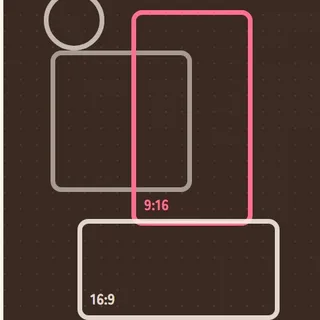
- The top and bottom get trimmed. X's help says up to about 60 pixels at the top and bottom can be cropped depending on screen size and browser. Phones trim the top and bottom a little too.
- Your profile photo covers the lower left. It sits on top of the header's lower-left corner.
So keep text and faces near the center, and leave the lower-left corner empty.
How to fit a photo to the header
This uses the free Social Image Resizer from Chocotto Games. Your photo isn't uploaded; it's converted on your own device.
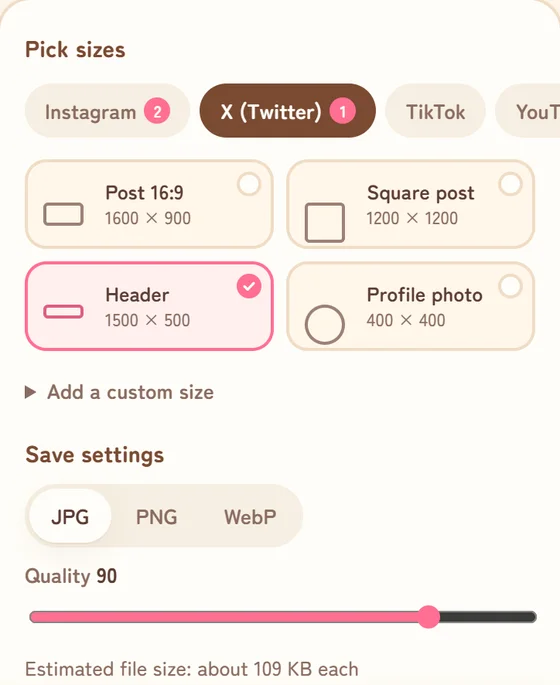
1. Pick "X" and tick "Header"
Open the Social Image Resizer and add a photo. Under "Pick sizes", press "X" and tick "Header (1500 × 500)". You can tick the profile photo (400 × 400) in the same place.
2. Position the photo using the crop and overlap guides
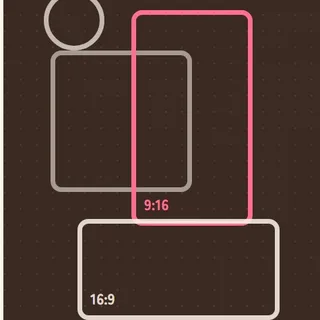
Move the photo so the part you want sits in the frame. The striped areas can be cropped on phones and some screens, and the label marks where the profile photo will cover the header. Keep anything important out of those areas.

Wide photos fit best. For a tall photo, choose "Fit whole photo" to keep all of it and fill the leftover space with a blurred copy or a color.
3. Save and set it on X
Press Save to get a 1500 × 500 image, then set it as your header from "Edit profile" on X.
Tips for a header people notice
- Less text, in the middle. A name or one short line stays readable on a phone.
- Leave the lower left empty. Your profile photo goes there.
- Match your profile photo's colors. It makes the whole profile feel put together.
- Don't put anything important at the top or bottom edge. It's fine if those get cut.
FAQ
How do I avoid a blurry header?
A photo smaller than 1500 × 500 gets stretched and looks soft. The tool warns you when a photo is too small.
Does it work with iPhone photos (HEIC)?
Yes. Choose them as they are and they load automatically. You can save as JPG, PNG or WebP.
Is my photo uploaded?
No. Everything is converted on your own device, and saved images don't keep location data.
Summary
- X header: 1500 × 500. Profile photo: 400 × 400
- The top and bottom can be cropped, and the lower left is covered by your photo
- Keep text and faces in the middle and use the tool's guides to position the photo
Make your X headerHeader and profile photo from one photo.Open the tool
Sources
- X Help Center: Help with uploading a profile photo (header 1500 × 500, profile photo 400 × 400, top and bottom cropping)
Last checked October 28, 2026. X may change its layout over time.